What is Shelf to Cart?
Shelf to Cart is a grocery price scanner and cart total tracker that helps shoppers estimate their total before checkout.
Scan price tags with your phone camera and keep a running total. No more checkout surprises.
Available for iPhone and iPad. No download required for the web app.
You're not alone. Most shoppers have no idea what their total will be until they reach the register. Shelf to Cart works as a grocery budget app for tracking the cart while the trip is still happening.
“I never know what my grocery bill will be until checkout”
“I try to keep a mental running total but always lose track”
“I want a realistic buffer when tax is added at checkout”
“I forget what I spent at the store last week”
Powerful features that help you estimate the trip total before you reach the register.
Point your camera at any shelf price tag. AI extracts item name and price instantly, including weighted items.
Real-time cart total as you scan, so you always know where the trip stands. Add an optional tax estimate in settings if you want one.
Each trip is a session you can save, tag with the store name, and revisit. Share or download a receipt-style PDF summary.
Built-in shopping list that syncs across devices. Paste a full list, check off items as you shop, swipe between camera and list.
Earn milestones at 10, 25, 50, 100, 250, and 500 scans. Track lifetime stats like total spent and items scanned.
Add items by hand with name, price, and quantity. Support for weighted items, inline price editing, and +/- quantity controls.
Available on iPhone and iPad and on Android via Google Play, with a web app for any modern mobile browser.
Three simple steps to take control of your grocery spending.
Open Shelf to Cart, tap the scan button, and aim your phone camera at a grocery shelf price tag.
Shelf to Cart reads the item name and price, including sale tags and weighted items, then lets you confirm or edit the result.
Each confirmed item is added to your shopping session and the running total updates so you can adjust the cart before checkout.
Short answers to common questions about Shelf to Cart.
Shelf to Cart is a grocery price scanner and cart total tracker that helps shoppers estimate their total before checkout.
Shelf to Cart is for budget shoppers, families, meal planners, and deal hunters who want a clearer grocery total while they shop.
Open the app, scan a shelf price tag or enter an item manually, confirm the price, and watch the running total update.
Optionally. Tax is off by default, so the running total shows the prices you scan. You can turn on an optional estimate in settings and enter a rate or attempt automatic detection.
Shelf to Cart is available for iPhone and iPad on the App Store, for Android on Google Play, and also works as a web app in modern mobile browsers.
Real screens from the iOS app and mobile web app.
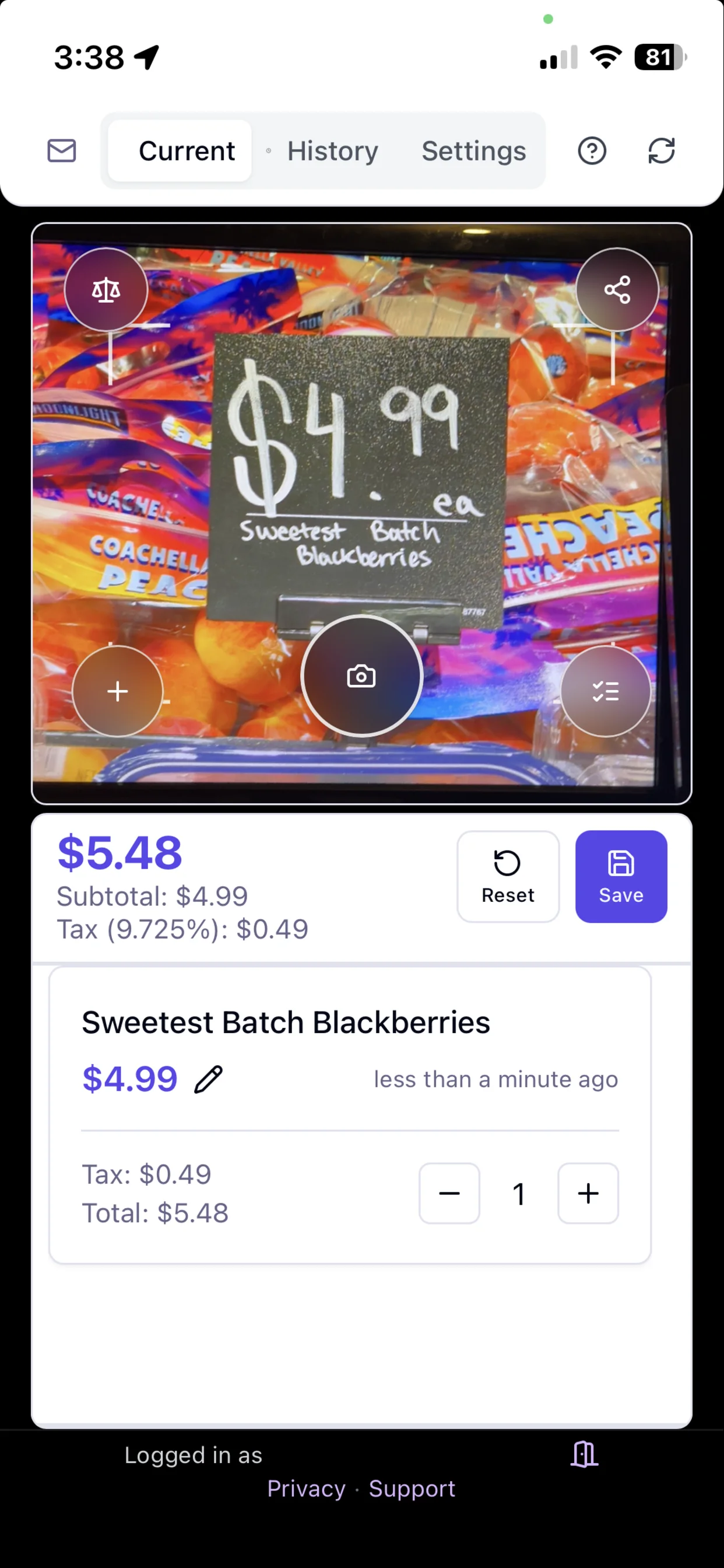
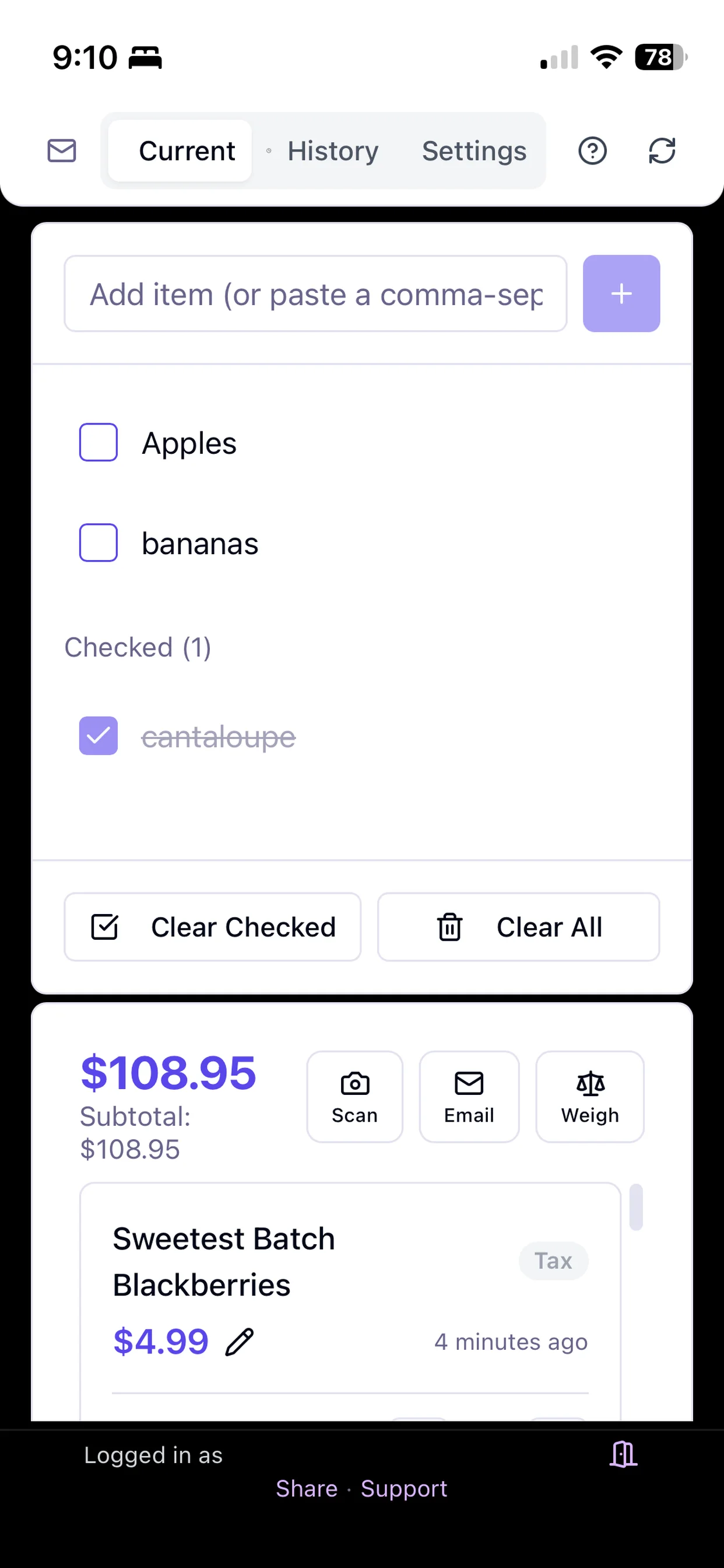
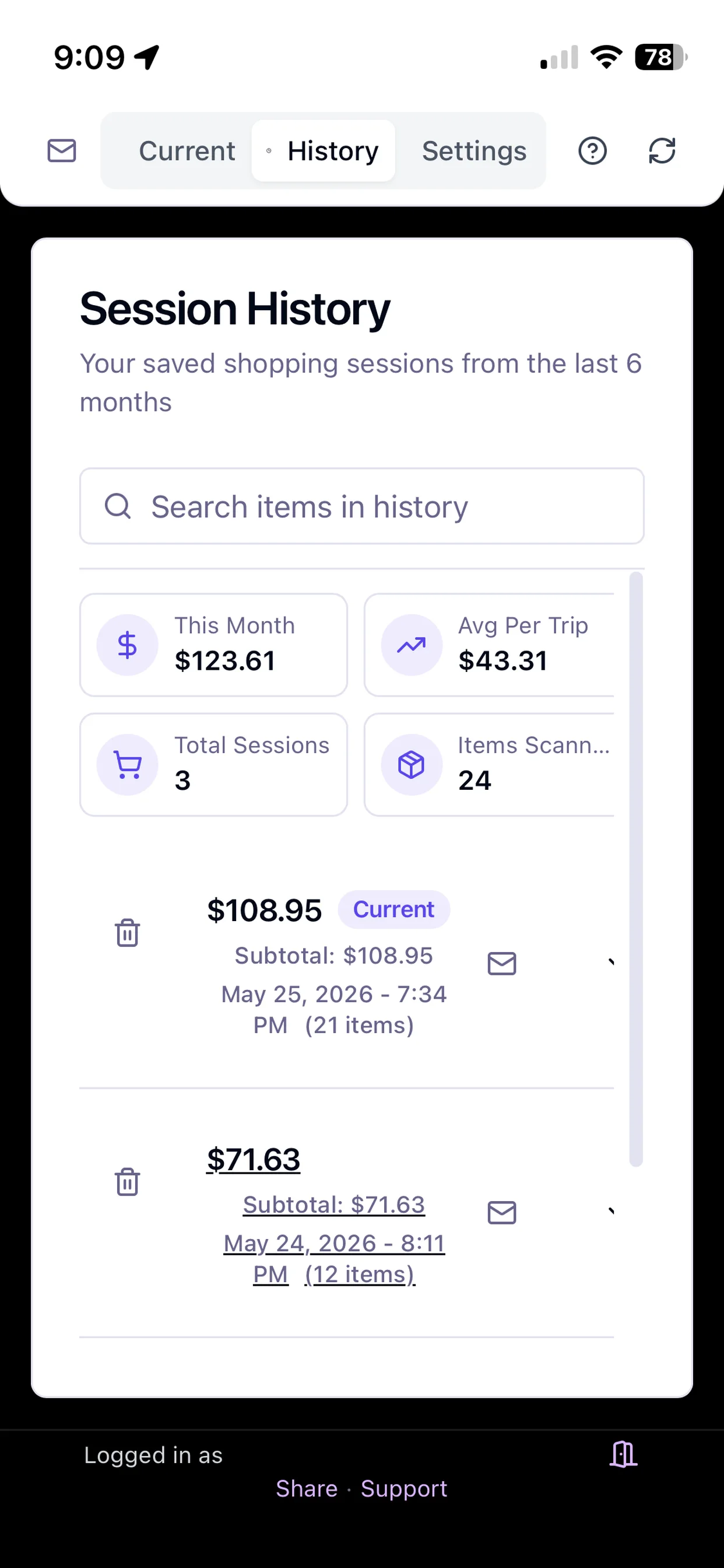
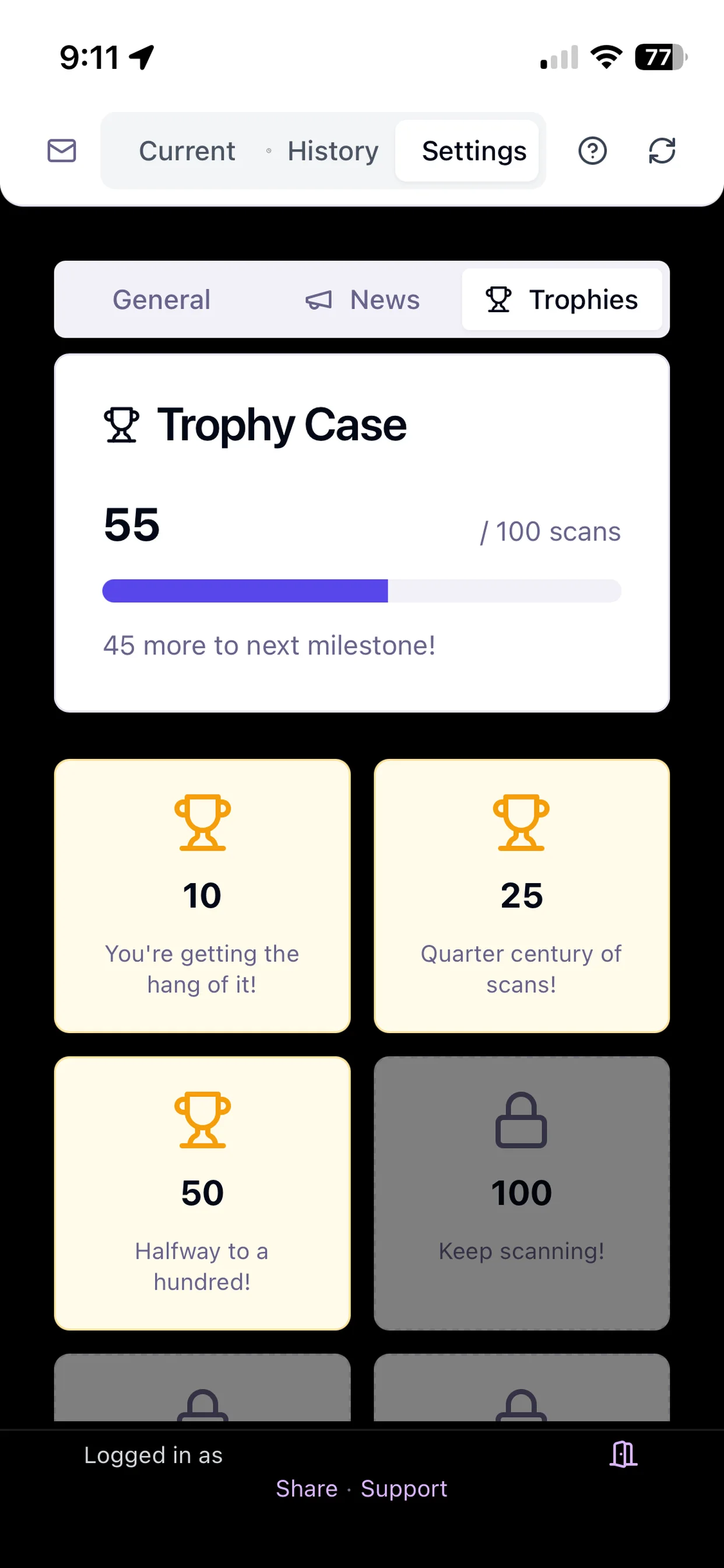
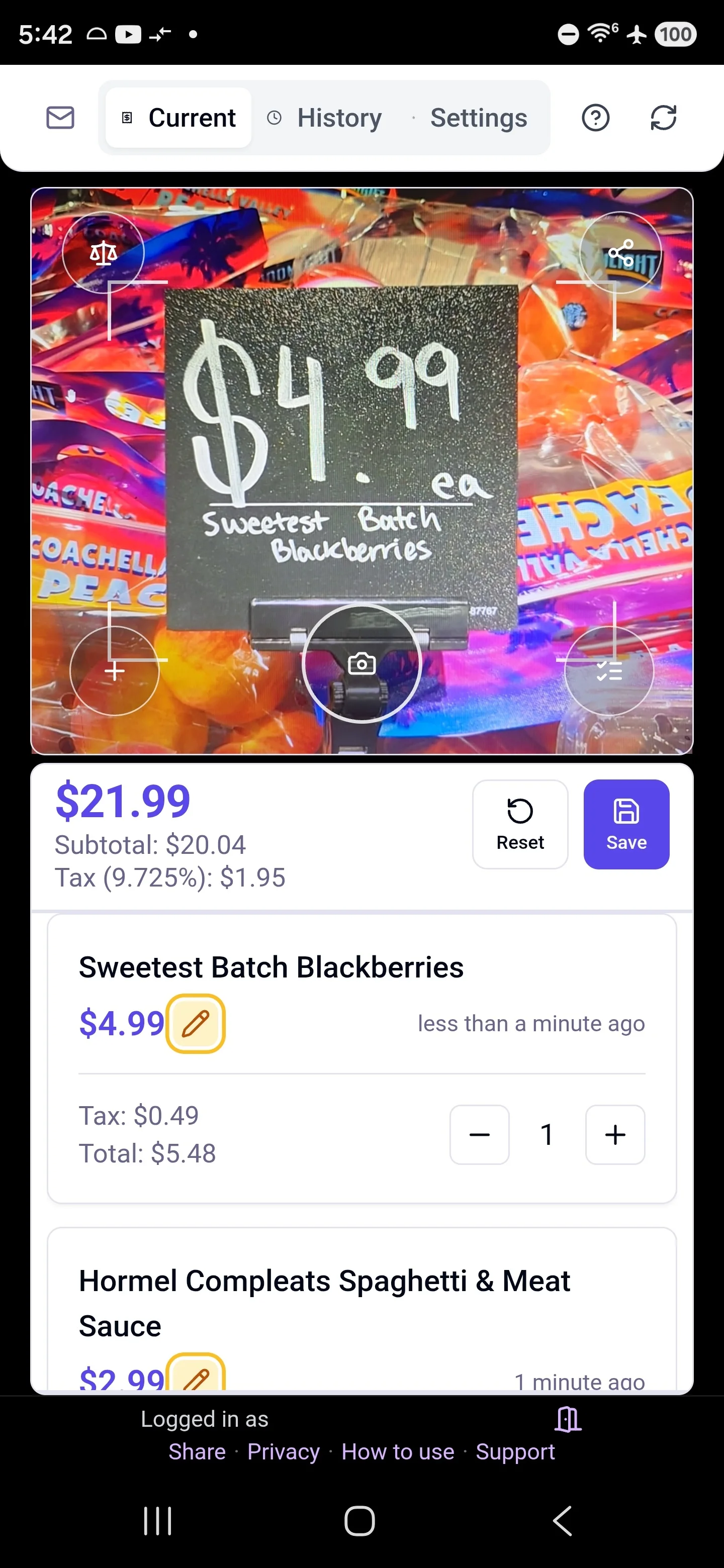
No matter how you shop, Shelf to Cart helps you stay in control. See how it works as a grocery budget app for aisle-by-aisle decisions.
“Stop guessing. Start scanning. Know your total before checkout.”
“Feeding a family on a budget? Track every dollar as you shop.”
“Verify sale prices on the spot. Scan the tag, see the math.”
“Plan your meals, scan your ingredients, stay on budget.”
Start free, upgrade when you're ready. No hidden fees.
Everything you need to know about scanning, pricing, and your data.
Point your phone camera at any grocery shelf price tag. Our OCR reads the item name and price, then adds it to your running total. You can scan as many items as you want during a shopping trip.
We gave the first 1,000 signups unlimited scans, free forever — no credit card, no expiration. Those early users keep free-forever status permanently. New users now get our standard plan: 10 free scans to start, then a 30-day trial with 100 scans per month, then 5 scans per month free or unlimited scans with Pro.
No. Shelf to Cart works in your phone's browser with no download required, and native apps are available on the App Store and Google Play.
Yes! You can start scanning for free with no credit card required. After your first 10 scans, a free 30-day trial activates with 100 scans per month. After the trial, the free plan includes 5 scans per month, or you can upgrade to Pro for unlimited scanning.
Shelf to Cart uses on-device OCR in native apps and server-side OCR/AI analysis when needed to read price tags. It works best with clearly printed shelf tags and can handle weighted items (per lb/kg pricing). You can always edit any scanned price manually if needed.
Optionally. Tax is off by default, so the running total shows the prices you scan. In settings you can turn on a tax estimate and enter a rate manually, or tap the location icon to attempt automatic detection of a local rate. You can apply one blanket rate or separate grocery and non-grocery rates. It is a conservative estimate, not an official tax calculation.
Absolutely. Your account syncs across devices, so you can start a shopping trip on your phone and review your session history on a tablet or computer. Shopping lists also sync across all your devices.
After your 30-day free trial, you can continue using Shelf to Cart with the free plan (5 scans per month). To unlock unlimited scanning and full session history, upgrade to Pro starting at $3.33/month billed annually.
Yes. Photos are processed for scan analysis and are not permanently stored by Shelf to Cart's servers. A copy of each label photo can stay on your own device for a short time (two sessions) so you can double-check the tag you scanned. Your account data is stored securely with Supabase (built on PostgreSQL). We never sell your data or share it with advertisers.
Yes. Every saved shopping session includes a receipt-style summary with items, quantities, tax breakdown, and totals, which you can share or download as a PDF from the app.
Yes. In the web app and on Android you can photograph a printed store receipt and import it as a completed trip in your history, with the receipt’s actual printed totals. You review and can edit every line before it saves. Receipt import is not part of the iOS app, and accounts get 3 receipt imports per month.
Shelf to Cart works on iPhone and iPad through the App Store, on Android through Google Play, and on any modern mobile browser with camera access (Safari, Chrome, Firefox, Edge).
Yes, on iPhone (iOS 17+). Enable it in the app’s settings by connecting an Apple Reminders list, and you can tell Siri things like "Add milk to my grocery list" — the items import into your shopping list when you open the app. During a trip, a Live Activity shows your running total on the Lock Screen and Dynamic Island, and an Apple Watch Smart Stack card keeps the total a glance away.